
Your shop.
One clear workspace.
SparkPOS brings checkout, inventory and reports into one desktop app, so you never switch between tools at the counter.
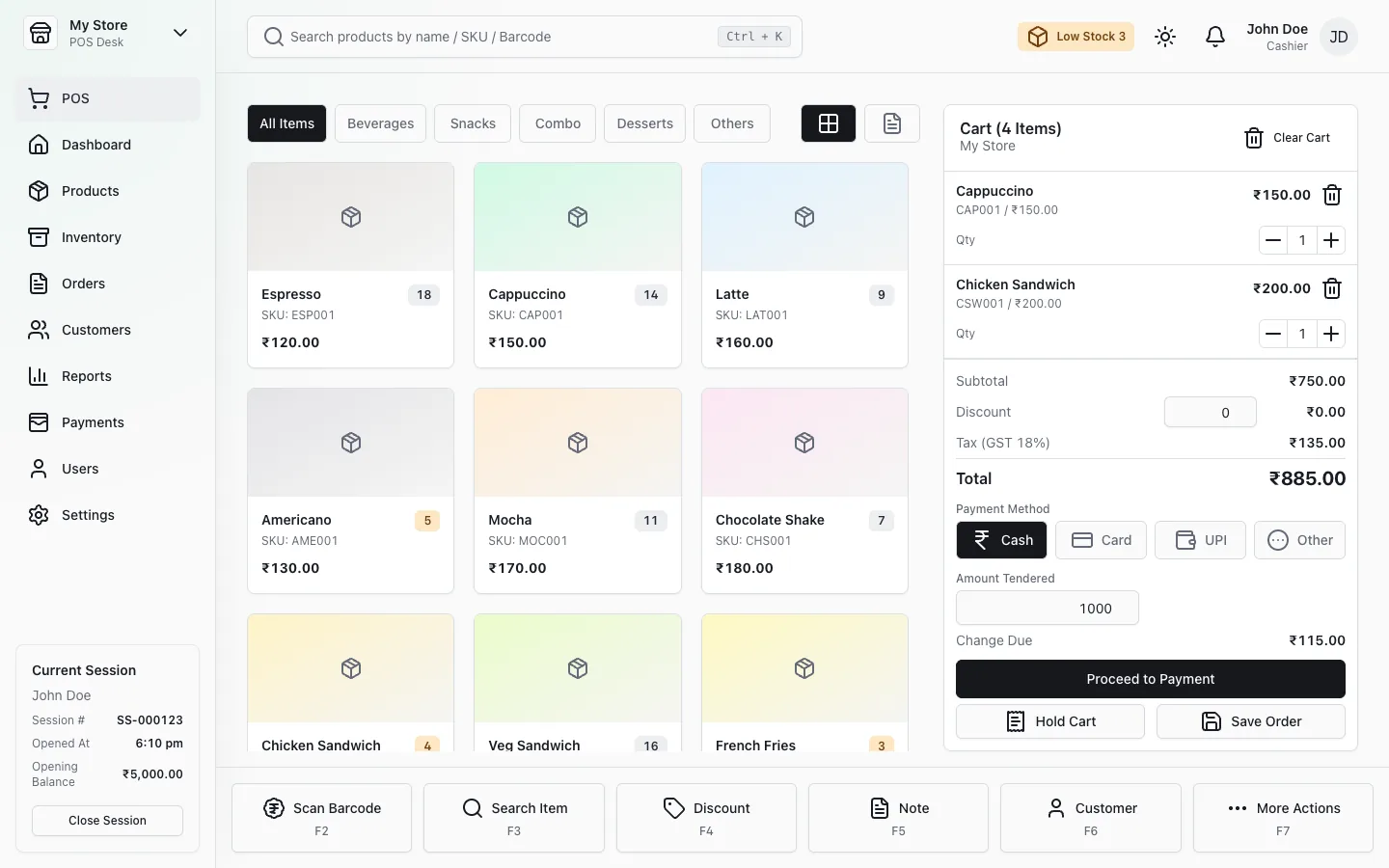
Keep the counter moving.
Find products, build a cart and review totals in a clear interface designed for your sales counter.
Stock that keeps up with sales.
Manage products and stock alongside your day-to-day sales. Stock movements are recorded as you sell.
| Product | In stock | Sold today |
|---|---|---|
| Espresso | 48 | 12 |
| Cappuccino | 23 | 7 |
| Chicken sandwich | 120 | 5 |
| French fries | 64 | 9 |
See how your shop is doing.
Review your retail activity and configure the app for your store.
Questions
Which computers does it run on?
Windows PCs with a 64-bit Intel or AMD processor. For a Mac or Linux computer, contact us first and we’ll confirm whether yours is supported before you buy.
Does it work without internet?
Yes, for everyday use. Your shop’s data is stored on your computer, so sales, stock and reports keep working offline. The licence needs to be refreshed online once every 90 days; if your shop can’t get online, our support team can give you an offline activation code.
How does the licence work?
Each licence key activates SparkPOS on one computer. You get the installer and your key as soon as you’ve paid; the key is emailed to you and kept in your account. Need it on more counters? We can add more computers to your licence — ask us for the price.
How do updates work?
Your licence includes one year of updates from the date of purchase. To update, download the newer installer from your account and run it. Your data stays in place and is carried over to the new version.
Do you help with setup?
We’ll help you activate SparkPOS, and you get 90 days of support by email. On-site installation, printer setup, moving data from another system and staff training aren’t included — ask us if you need them.
Can it be customised for my shop?
Yes — tell us what you need and we’ll discuss it. Contact us